

OpenStreetMap to Minecraft
Roads, buildings, water, terrain, and land cover come from OpenStreetMap coverage for your selected area.
Only real-world Minecraft map generation and AI features are paid (AI features accept paid Credits only); Seed Map and all Finders are always free.
REAL MAP → MINECRAFT WORLD
Drag the divider to compare the OpenStreetMap source area with the real in-game world generated by MapMC.
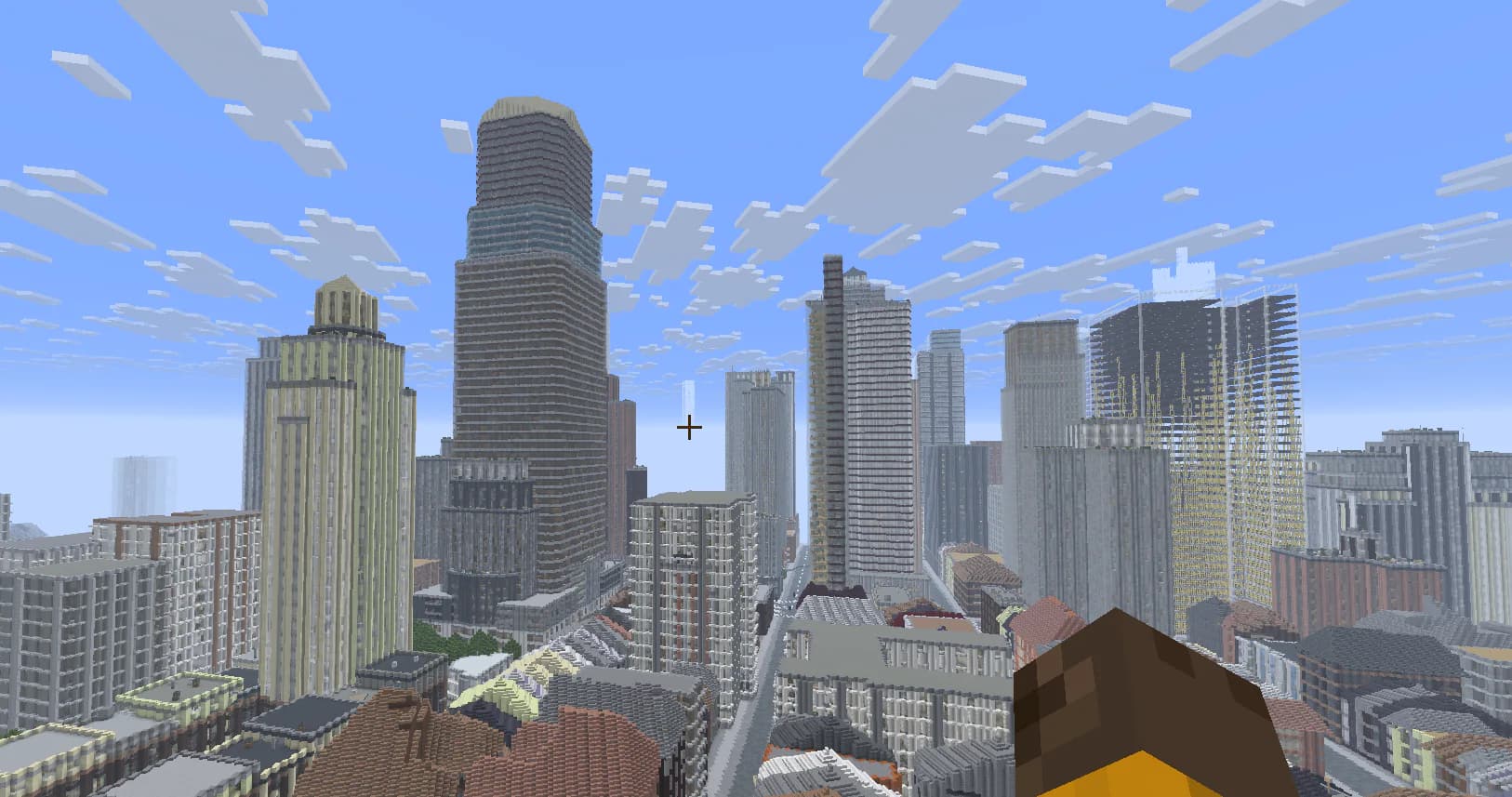
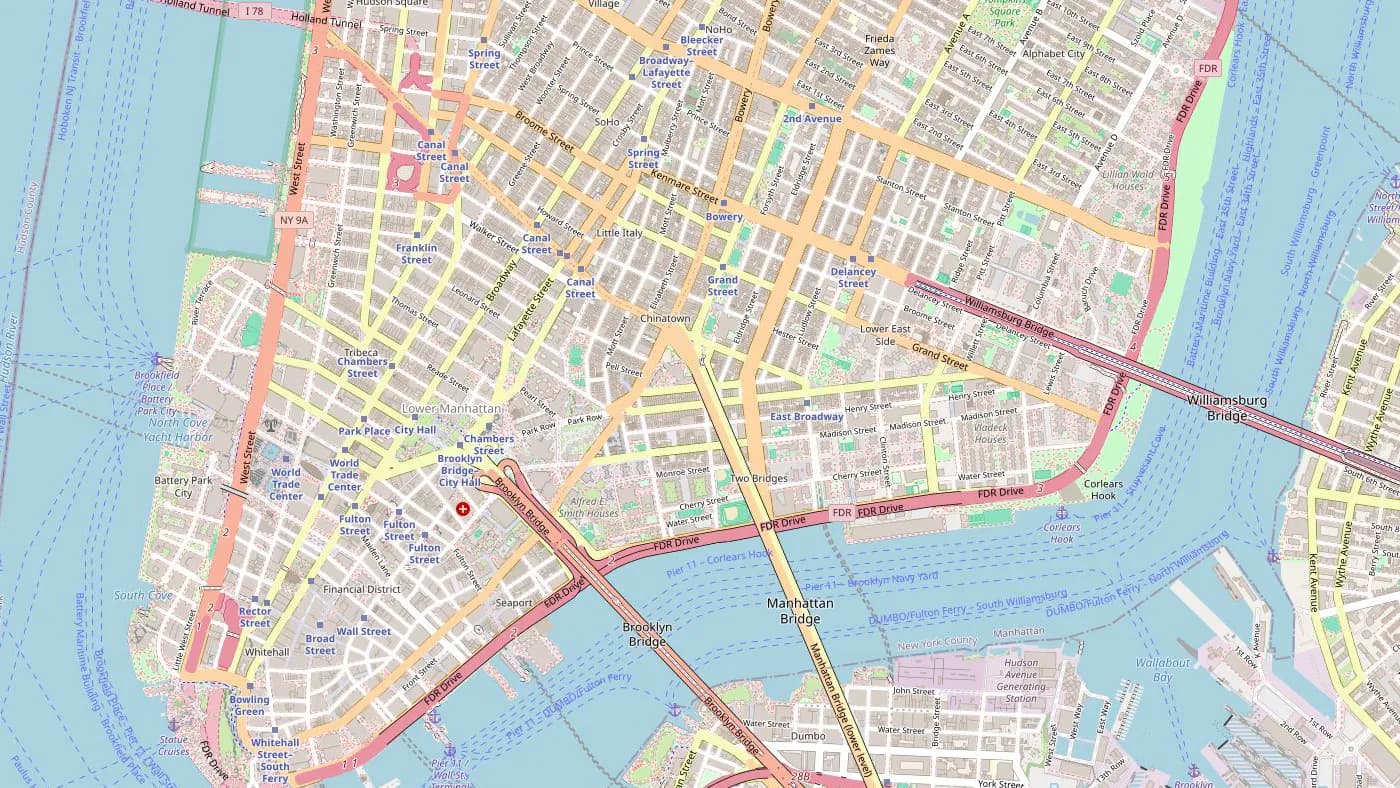
Drag to compare
Lower Manhattan, New York · © OpenStreetMap contributors
MapMC in 60 seconds
See the complete journey from selecting a real place to downloading and exploring the finished world in Minecraft.
Create my placeRuns in your browser — pick a spot on the map and go. No download, no mods.
Generate worlds from your phone or tablet. Great for Bedrock players on the go.
Export a Java world (.zip) or a Bedrock .mcworld — your choice, both editions.
Simple pay-as-you-go. Credit never expires. Eligible generation failures follow the Refund Policy.
MapMC turns real-world map data into playable Minecraft worlds with roads, buildings, terrain, and water. Three steps, no install, no command line.
Open the generator, pan to any place on Earth, and draw a rectangle. From a single neighbourhood up to 40 km².
Bedrock or Java edition. Toggle terrain, interior, roofs, land cover. Live price updates as you tweak.
We fetch OpenStreetMap data and run the Arnis Rust engine. Download the world file when it is ready; large areas can take 10–20 minutes.
Compare your options
MapMC offers a hosted way to turn real-world map data into downloadable Minecraft Java and Bedrock worlds, with no desktop setup required.
MapMC is an independent service and is not the official Arnis, ArnisMC or MapSmith website.
Why MapMC works
MapMC is useful when you want a downloadable, playable Minecraft world rather than a static map image. The selected area becomes a file you can open in Minecraft, with the online generator handling the data fetch, conversion, packaging, and refund logic.
The generator reads public OpenStreetMap data for the rectangle you draw, then Arnis converts streets, buildings, water, land cover, terrain, and other mapped features into Minecraft blocks. The result is not a perfect hand-built replica, but it gives you a playable starting point that follows the real street pattern and place layout.
For Bedrock, MapMC delivers a .mcworld file for Windows, mobile, console, and cross-platform play. For Java, it delivers a world ZIP that you can import into your saves folder.
MapMC works best for areas with meaningful map data: city blocks, recognizable neighborhoods, waterfronts, villages, campuses, landmarks, and road grids. Very empty rural regions, huge rectangles, or places with sparse OpenStreetMap coverage can look simpler, so the generator shows area limits and pricing before you start.
Roads, buildings, water, terrain, and land cover come from OpenStreetMap coverage for your selected area.
Choose a Bedrock .mcworld or a Java world zip, depending on how you play Minecraft.
Download the finished Java ZIP or Bedrock .mcworld file and import it into Minecraft.
Top up once, spend by selected km², and keep unused balance. Eligible generation failures follow the Refund Policy.
Buy $9.90, get 1,500 Credits (+52%)
Buy $19.00, get 3,500 Credits (+84%)
Buy $49.00, get 10,000 Credits (+104%)
Macky's World Tour
Discover playable Minecraft maps based on real places, with verified gameplay media and Java ZIP downloads.
Travel with MackyStories become playable worlds
World Tour shows what real places become in Minecraft. Guides help you import, understand, and share the result.
 Latest World TourSydney Opera House & Royal Botanic Garden Minecraft Java MapA downloadable Minecraft Java 1.21.4 ZIP based on a compact real-world area around Bennelong Point and the edge of the Royal Botanic Garden, with harbour, streets, buildings, paths, and vegetation as the main gameplay context. The package was successfully imported and checked in HMCL and includes genuine in-game video and screenshots.Featured guide
Choose the correct Java ZIP or Bedrock .mcworld import path, protect the original file, verify the world root, and fix common handoff or folder errors safely.
Read the guide →Top up once and pay by area. Eligible generation failures follow the Refund Policy.
Everything you need to know about MapMC.
No. MapMC is an independent third-party tool, not affiliated with Mojang Studios or Microsoft. Minecraft is a trademark of Mojang Studios.
Yes. MapMC generates .mcworld or world folder files. You need a licensed copy of Minecraft Java or Bedrock Edition to open them. Visit minecraft.net to purchase.
Yes — the world files we generate are yours. Note that displaying Minecraft gameplay is subject to Mojang's brand guidelines for monetized content. See www.minecraft.net/usage-guidelines.
World files usually take a few minutes. Large areas can take 30 minutes or longer, depending on complexity and queue time.
Java and Bedrock worlds support up to 40 km² in standard detail. High detail remains limited to 5 km².
Bedrock if you play on Windows 10/11, Xbox, PlayStation, mobile, or with friends across devices. Java if you play the original PC edition. Bedrock outputs a .mcworld file; Java outputs a world folder.
MapMC uses OpenStreetMap data. If the area you picked has sparse or no OSM coverage (rural or unmapped regions), the world will mostly be terrain. Try picking a city instead.
No. MapMC is one-time top-ups. You add credit to your balance, then spend it per region. Your balance never expires.
Balance payments are restored automatically when an eligible generation fails; direct-payment refunds to the original payment method are processed asynchronously. Eligible generation failures follow the Refund Policy.
30 days from creation. Save the .mcworld file to your own machine if you want to keep it forever.
Yes. In Settings, choose Delete account, type your registered email address, then use the one-time link we send and give one final confirmation. Opening the email link alone never deletes the account.
You can register and browse for free. Every new account receives a one-time $3 balance, enough for a small 0.5 km² world. Your balance never expires. Eligible generation failures follow the Refund Policy.
Prices are based on area: $3 for 0.5 km², $5 for 3.1 km², $10 for 10 km² and $15 for 22 km². Above 22 km², the price increases proportionally at $15 per 22 km², rounded to cents: the 40 km² maximum costs $27.27. Pay from your balance or make a one-time payment; there is no subscription or monthly fee.
Yes — MapMC is the no-install, online version of the open-source Arnis engine. You draw an area on the map in your browser and download the finished world, with nothing to compile or run locally. It's built on Arnis itself (Apache-2.0, fully credited), so you get the same block-by-block conversion without the desktop setup.
Download the Java ZIP or Bedrock .mcworld file, import it into Minecraft, and inspect the complete world in game.
MapMC builds from real OpenStreetMap data, so roads, buildings, and waterways match the actual place you select. You draw a rectangle anywhere in the world and the Arnis engine rebuilds that exact area block-by-block in Minecraft.


